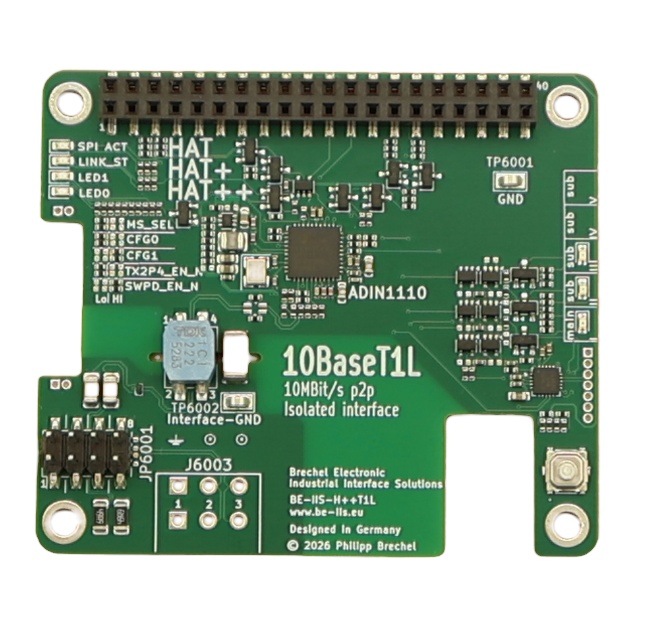
BE-IIS-HPP-T1L
Isolated 10BASE-T1L Ethernet for long-reach point-to-point Single Pair Ethernet links.
Required platform: 64-bit Raspberry Pi OS
Using another operating system is technically possible, but the missing driver cannot simply be built as an external module. Use a matching 64-bit Raspberry Pi OS kernel, or rebuild and use a kernel that includes the required driver module before installing the HAT software.
Overview
The BE-IIS-HPP-T1L adds 10BASE-T1L Single Pair Ethernet to a Raspberry Pi. It is designed for long-reach, point-to-point industrial Ethernet links over one twisted pair and uses an Analog Devices ADIN1110 Ethernet MAC-PHY.
The HAT is galvanically isolated at the MDI interface and participates in the HAT++ stack architecture.
Linux integration
The hardware is connected through SPI. The selected HAT++ instance determines the SPI chip select and interrupt GPIO used by the Device Tree overlay.
The BE-IIS installer provides the ADIN1110 driver build flow, the required overlays and a persistent interface name. A primary T1L HAT is normally available as beiis-t1l0. Other HAT++ instances receive their own names.
Link configuration
The board operates as a standard Linux network interface. Configure an IP address, link it to a peer and use normal tools such as ip, ping and iperf3.
For point-to-point tests, configure both endpoints in the same IP subnet. The installer repository also contains two-target test scripts with the example addresses 10.10.10.1 and 10.10.10.2.
Integration notes
Use a suitable single twisted-pair cable and keep the cable topology point-to-point. A long cable does not require a different software concept, but physical-layer quality, cable type and supply conditions remain important.
The standard Ethernet MAC address is taken from the system when available. The BE-IIS driver integration also supports a fallback MAC-address path for systems where no usable address is supplied by firmware.
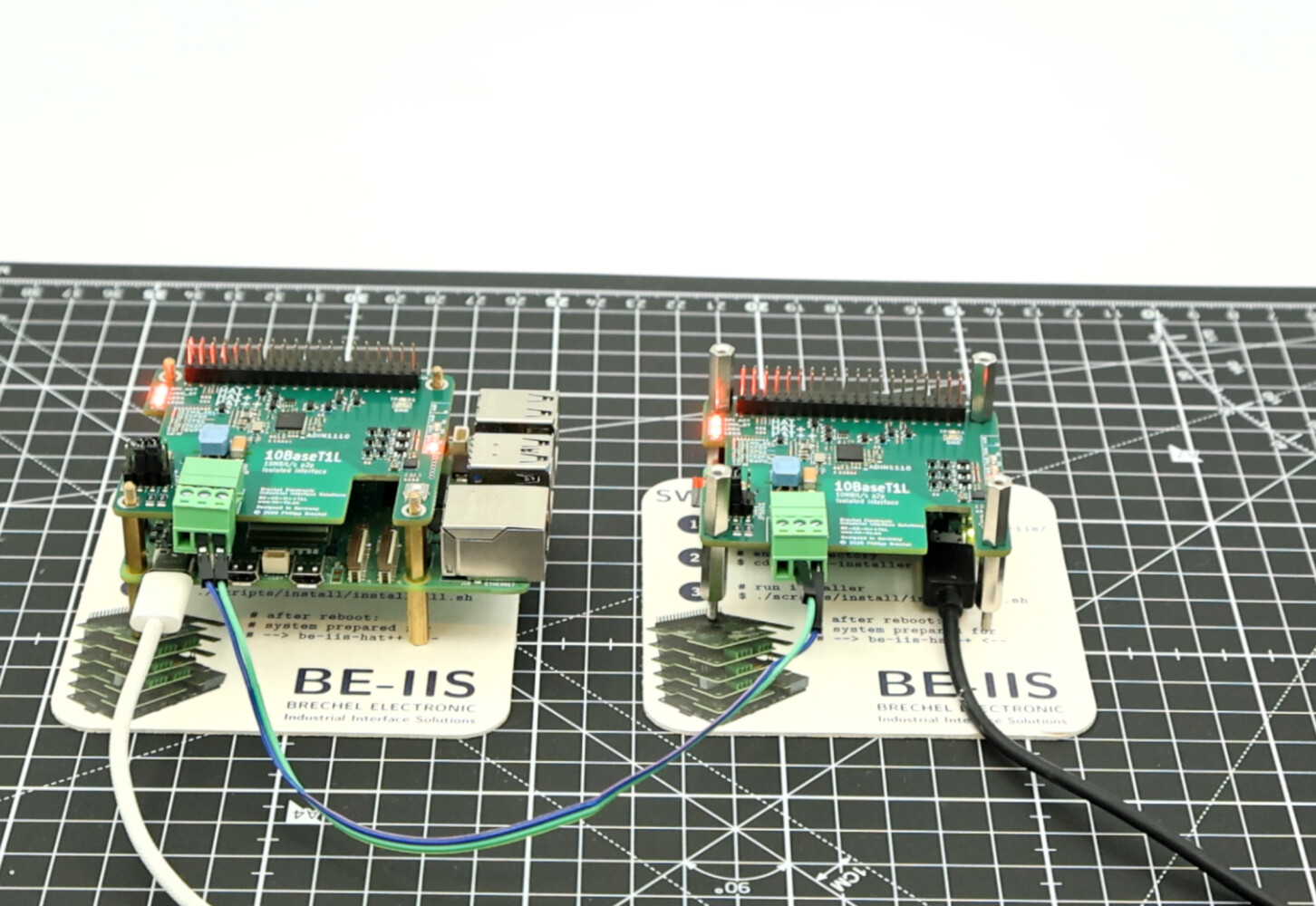
Two-node test
The installer includes one test script for each end of a point-to-point link. Run the appropriate script on each Raspberry Pi. The scripts configure beiis-t1l0 with 10.10.10.1 and 10.10.10.2 and perform the connectivity test.
cd ~/be-iis-installer/products/BE-IIS-HPP-T1L-REVB/test
./test_target1.sh     # first Raspberry Pi
./test_target2.sh     # second Raspberry Pi
1000 m link: 2.4 Vpp transmit amplitude
For a long point-to-point link, use the 2.4 Vpp T1L transmit-amplitude setting. The current BE-IIS T1L overlays already contain this setting for instances I, II and III:
phy-10base-t1l-2.4vpp = <1>;
To verify or apply it manually, edit the source of the overlay that matches the selected HAT++ instance, then build, install and reboot:
cd ~/be-iis-installer/products/BE-IIS-HPP-T1L-REVB/overlays/src/rpi
nano BE-IIS-HPP-T1L-I.dts        # use II or III when applicable
# Ensure the PHY node contains: phy-10base-t1l-2.4vpp = <1>;
sudo make install
sudo reboot
The installation target copies the rebuilt .dtbo files to /boot/firmware/overlays/. The active dtoverlay=BE-IIS-HPP-T1L-I entry in /boot/firmware/config.txt must match the overlay you changed.
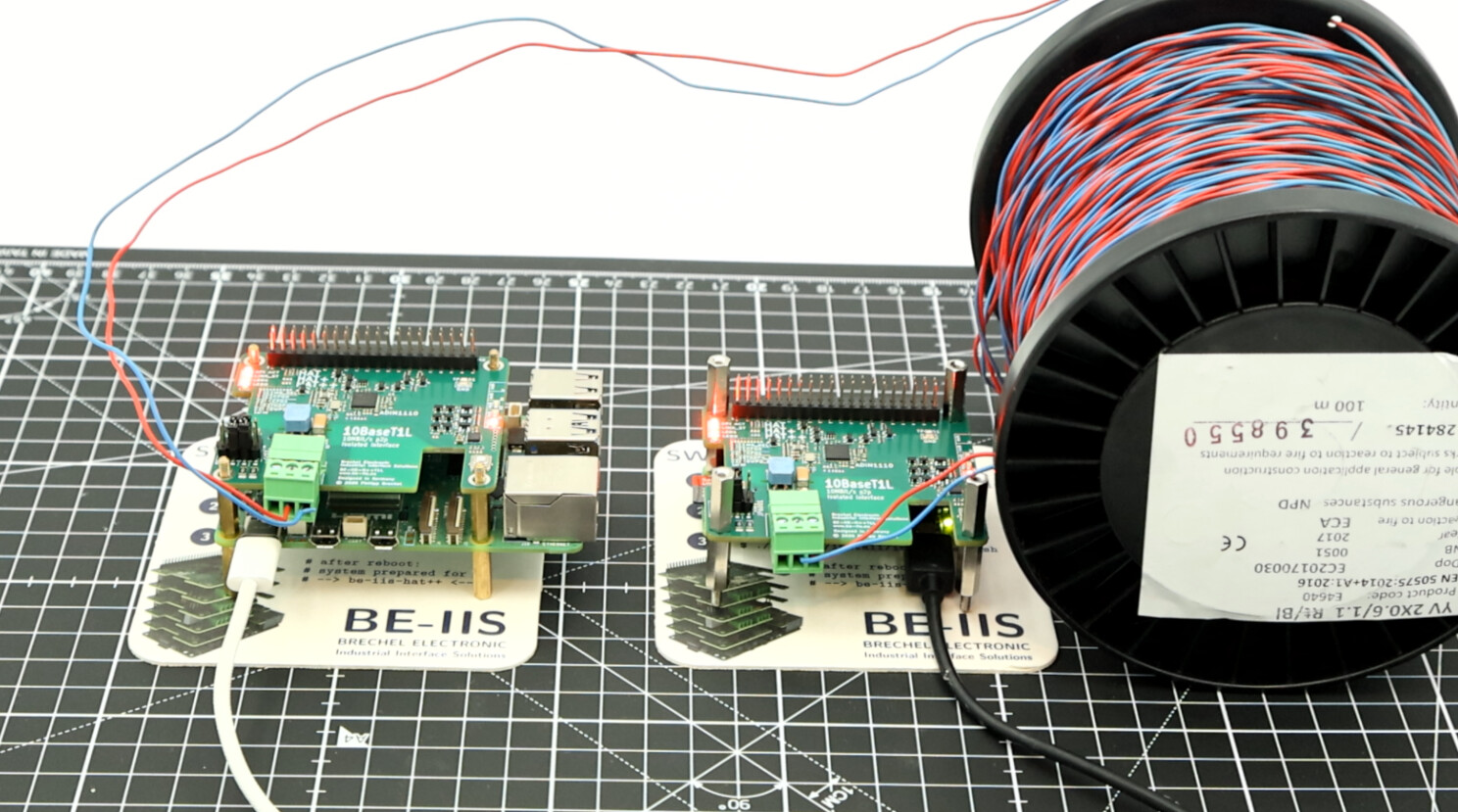
100 m YV cable field test
The T1L HAT has been tested as a practical point-to-point Ethernet link over 100 m YV 2×0.6/1.1 cable. The demonstration uses standard Linux IP tools and shows that no special userspace application is required after the interface is configured.
Building the ADIN1110 driver module
The installer also contains a reproducible helper for building the ADIN1110 driver module against the running Raspberry Pi kernel. This is useful for development systems that need a module matching a specific kernel release.
cd ~/be-iis-installer
./tools/kernel/adin1110_mod_build.sh
The normal product setup remains the preferred path. Use an individual module build when you specifically need to inspect, rebuild or adapt the driver integration.
MAC-PHY and SPI throughput
For small UDP packet sizes, the SPI transfer overhead can become the limiting factor before the 10 Mbit/s Ethernet link is saturated. Increase the SPI clock frequency when necessary to reach the required data rate. Verify the result with the actual packet size and traffic pattern used by the application; a setting that is sufficient for large packets may not be sufficient for many small UDP datagrams.
T1L / T1S media converter
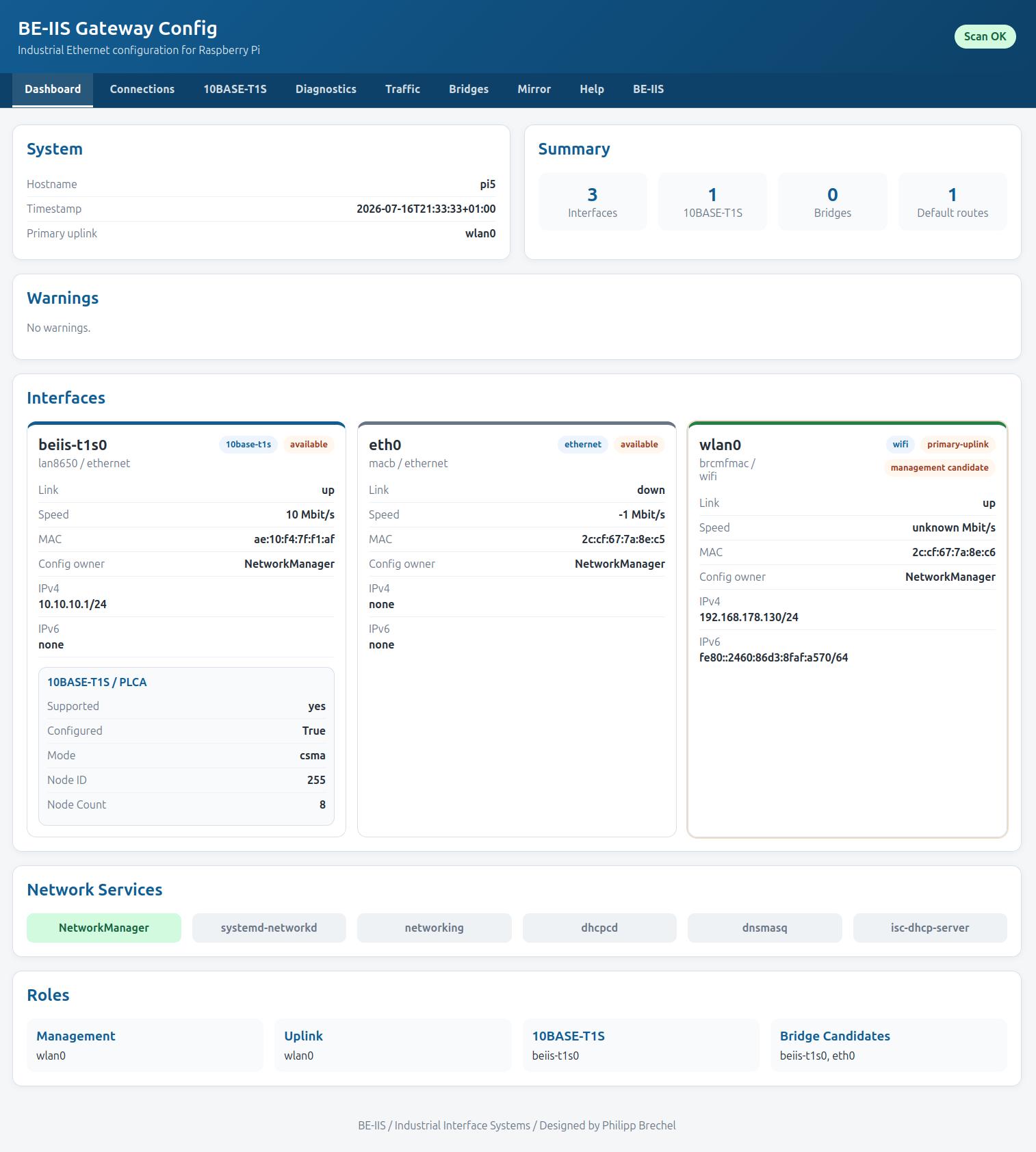
A BE-IIS T1L, T1S or 2T1L HAT can be used with the BE-IIS LAN HAT as a transparent Layer-2 media converter between conventional Ethernet and Single Pair Ethernet. The web interface configures the bridge and makes link, PLCA and traffic diagnostics visible. It is Ethernet bridging, not CAN or Modbus protocol conversion.
The T1L/T1S interface converter application explains the complete setup. The implementation and web interface are available in the BE-IIS Network Web repository.